How to send Email 0 0
Log in to your EMS DASHBOARD
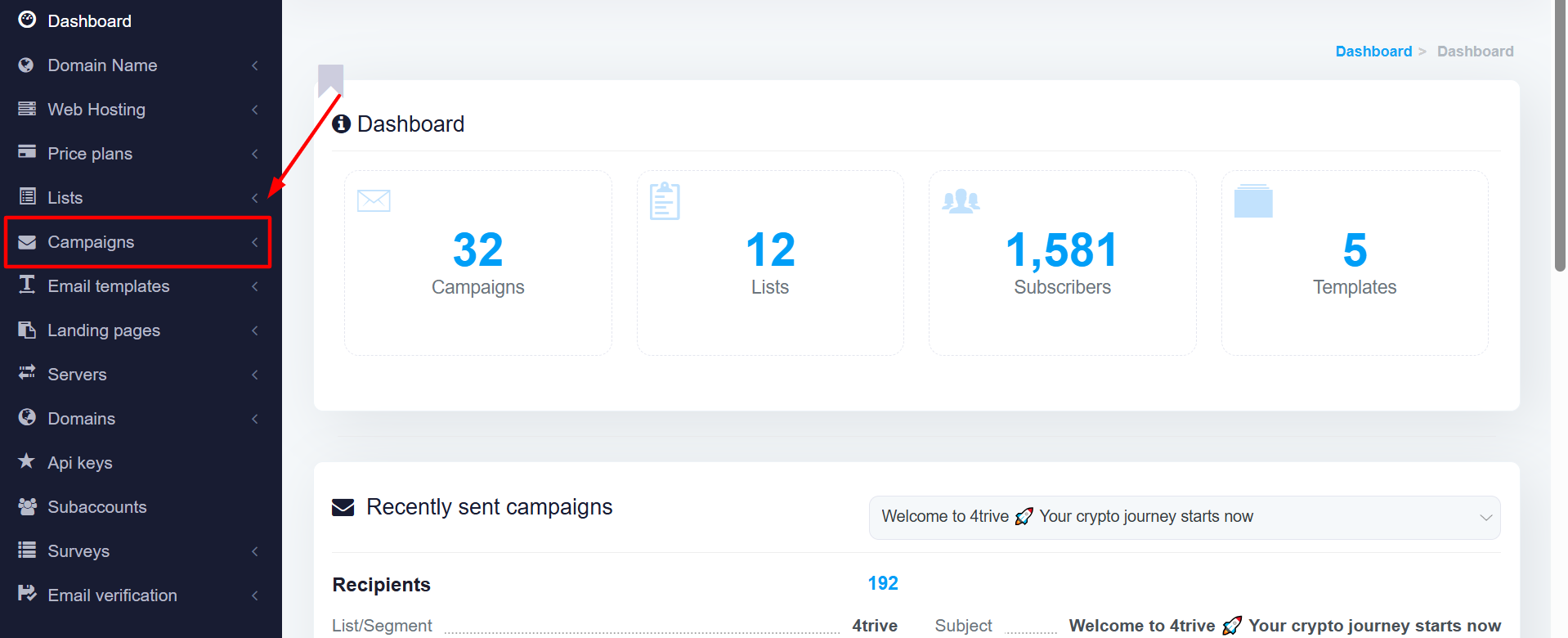
Click on CAMPAIGNS and Select REGULAR CAMPAIGNS
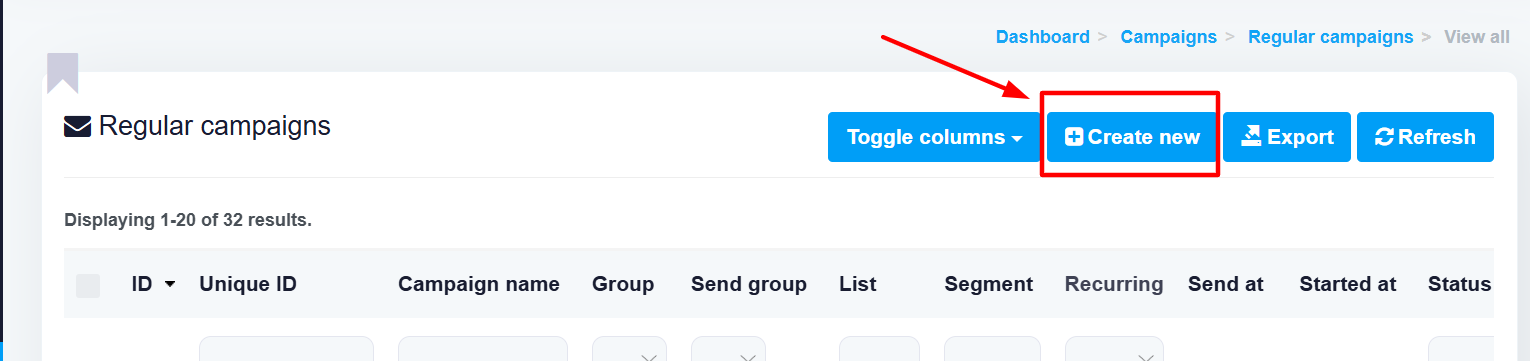
Click CREATE NEW
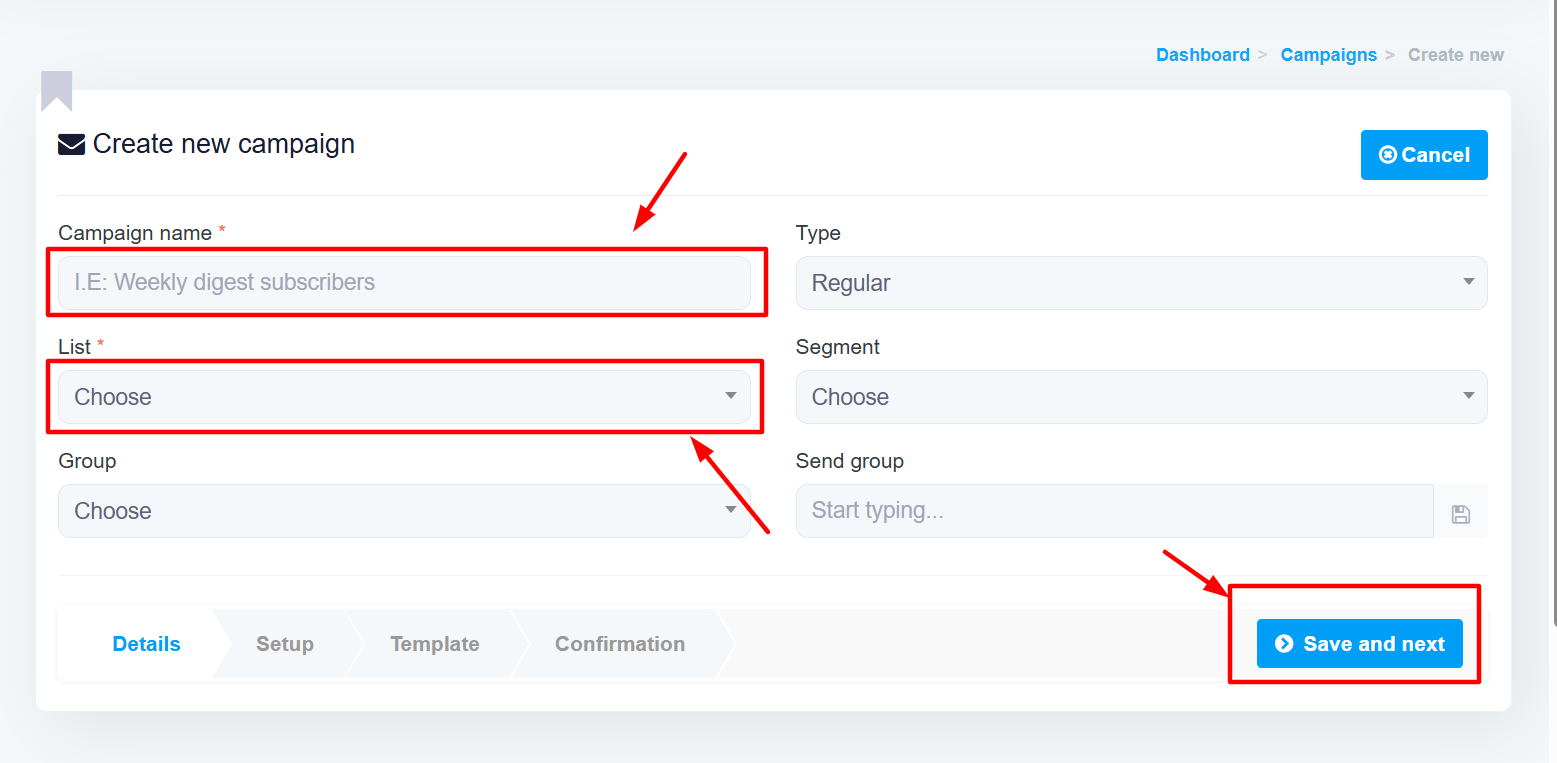
1) Name your campaign
2) Choose the email list you want to send the campaign to
Click SAVE and NEXT
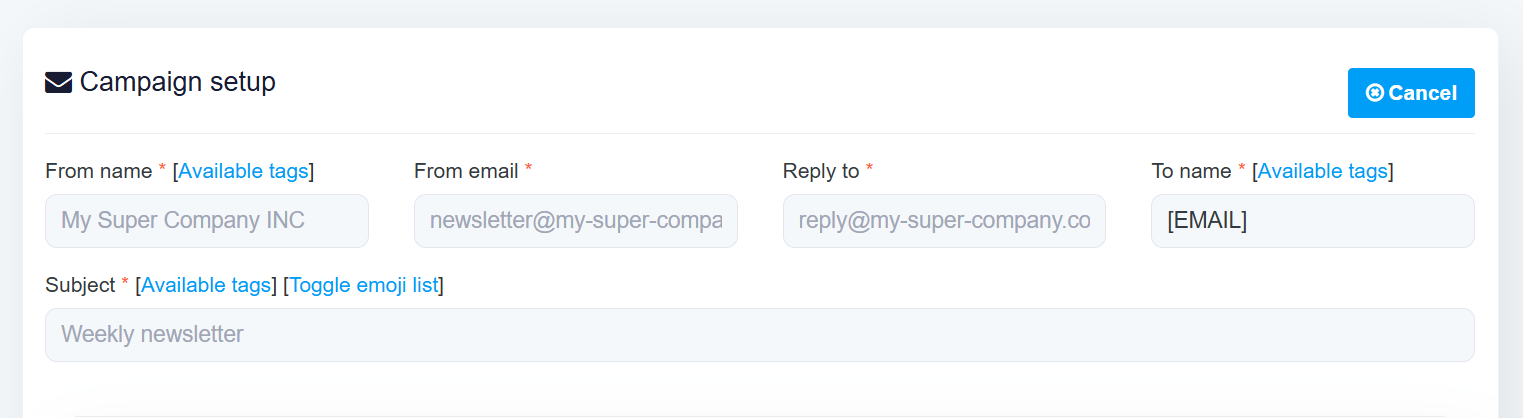
Fill these required fields
1) FROM NAME
2) FROM EMAIL
3) REPLY TO
4) SUBJECT
These fields are required to set up your campaign. You can also complete or modify other fields on the page, then click Save and Next.
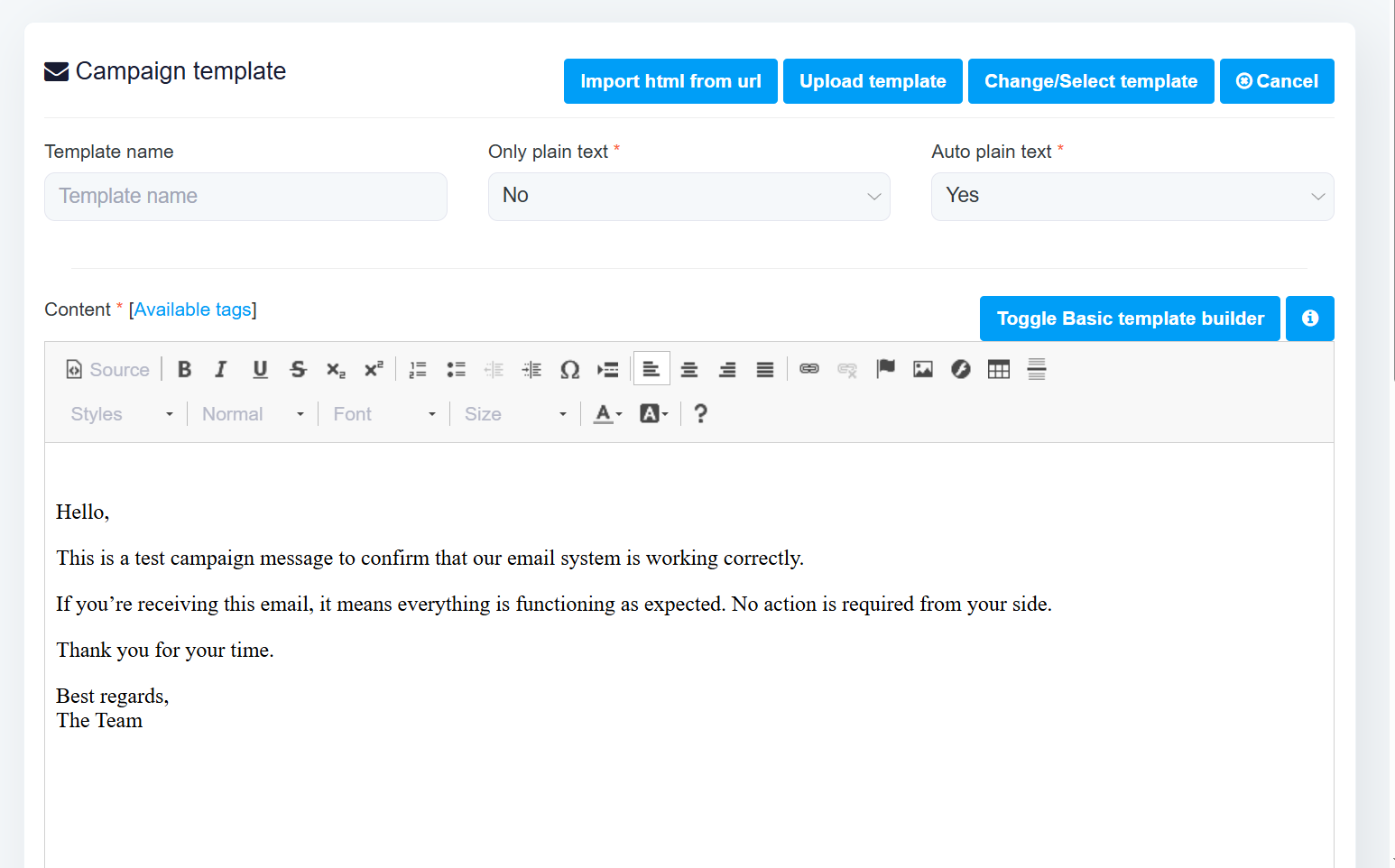
Write your email message
Scroll down, click on " Save content
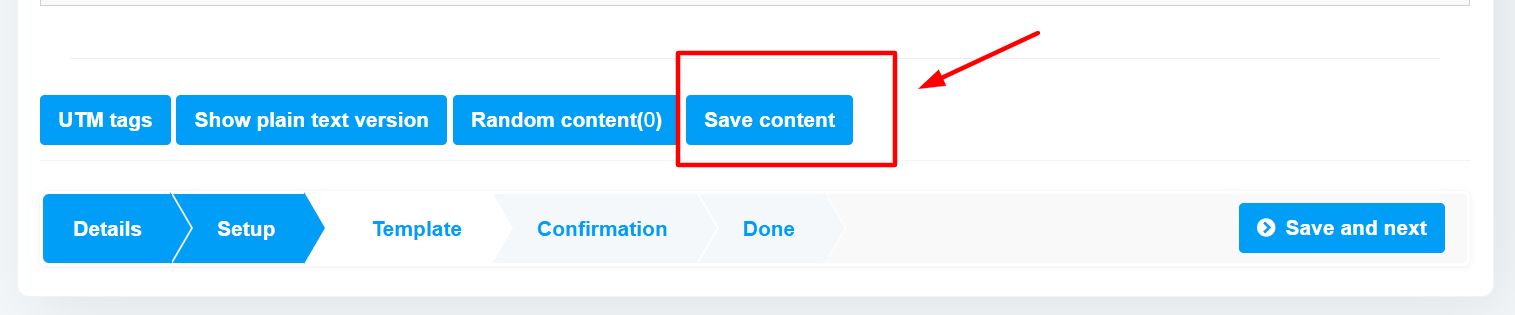
Click on Save Content, and the TEST EMAIL button will appear at the top
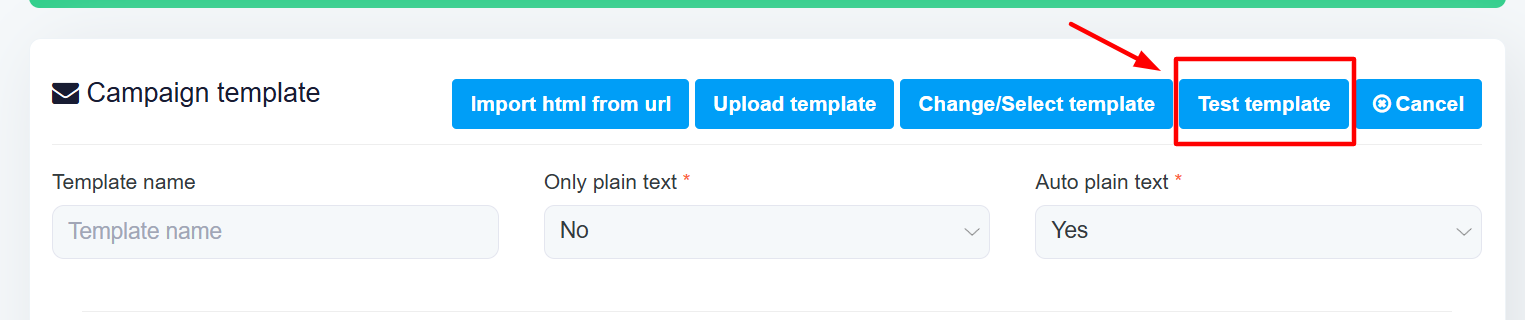
Send a test email to confirm that what you receive matches what your users will see.
Scroll down, and click on SAVE and NEXT
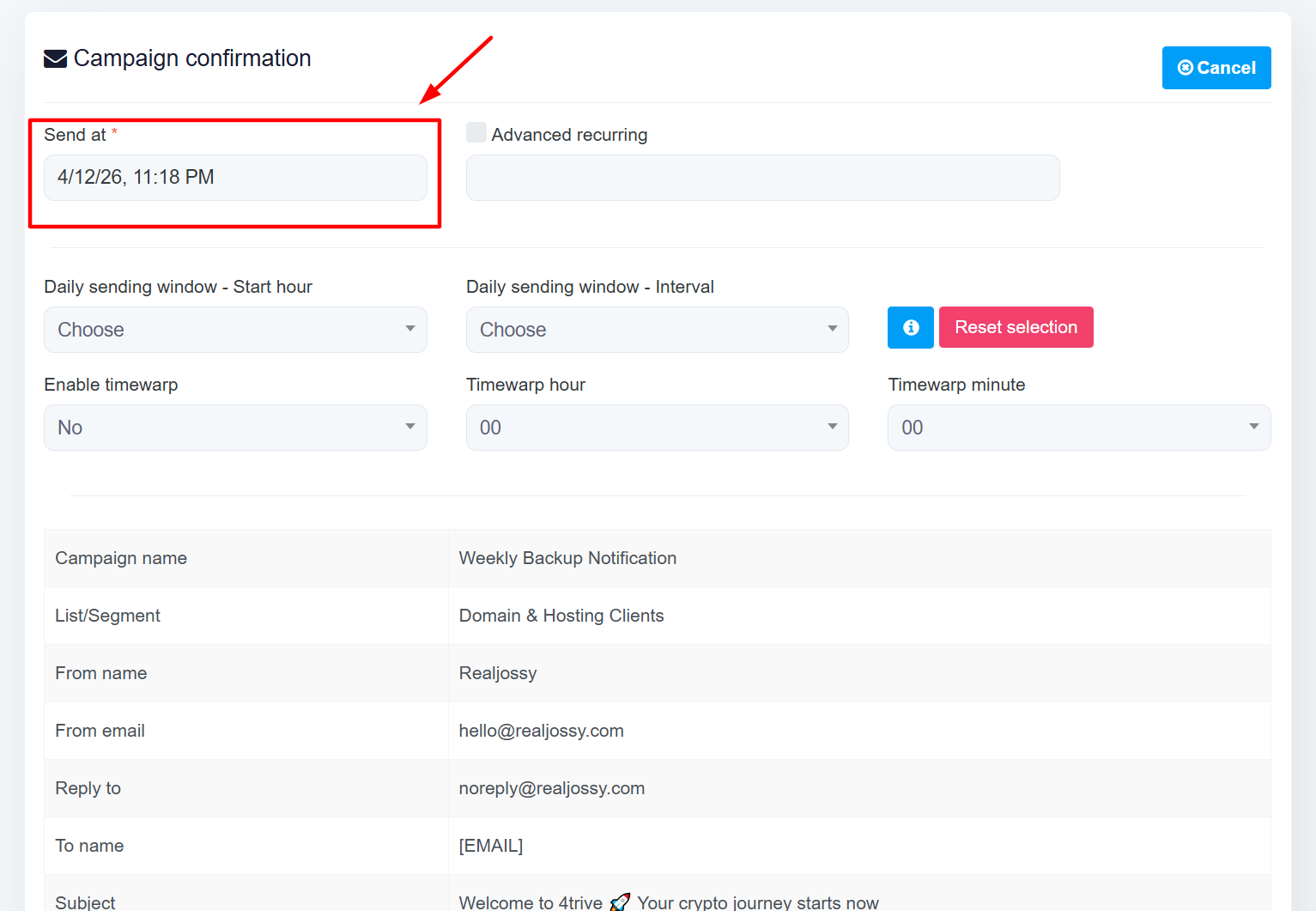
Select the Date and time you want this Email to send.
Scroll down, click on SAVE CHANGES, and SCHEDULE CAMPAIGN