How to add Subscribers/Emails 1 0
Last updated on Apr 12, 2026 16:00 in Email Marketing Application
Login into Your EMS Dashboard
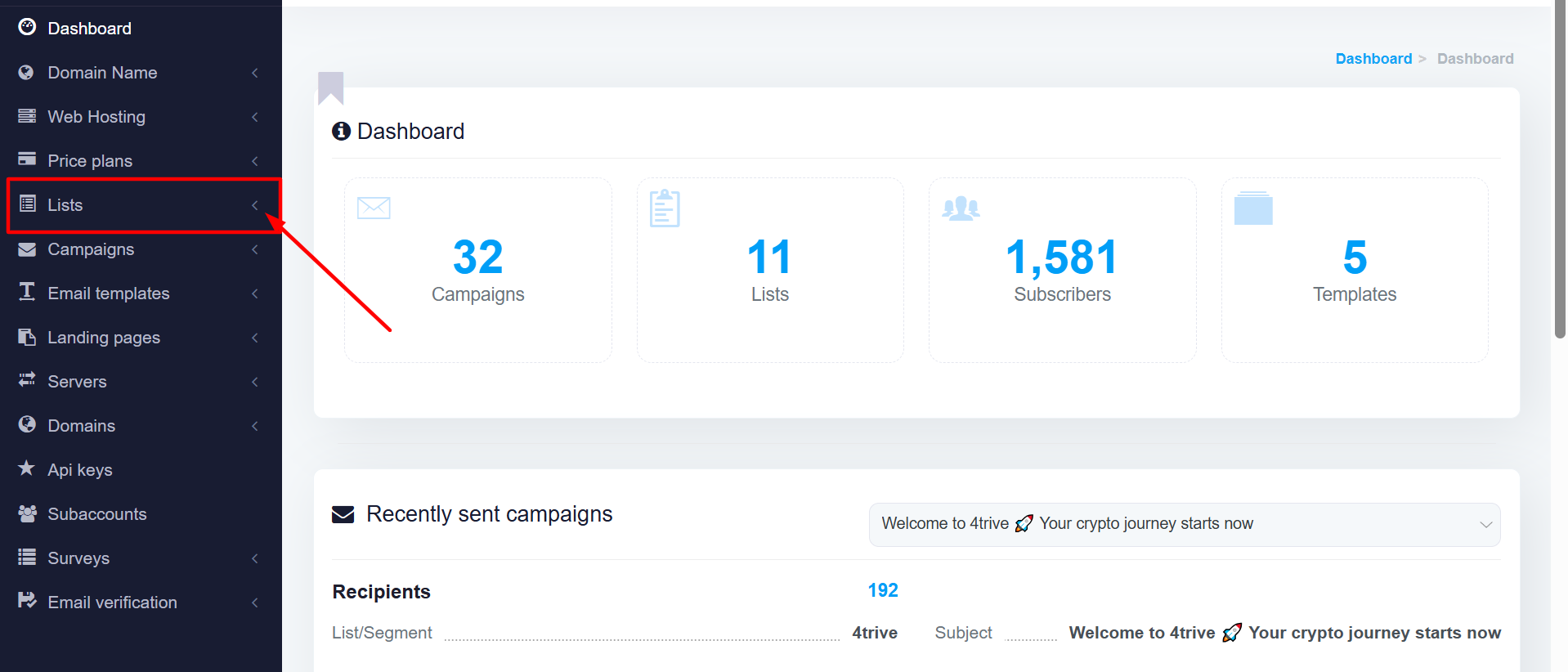
Click on the LISTS to Create a LIST
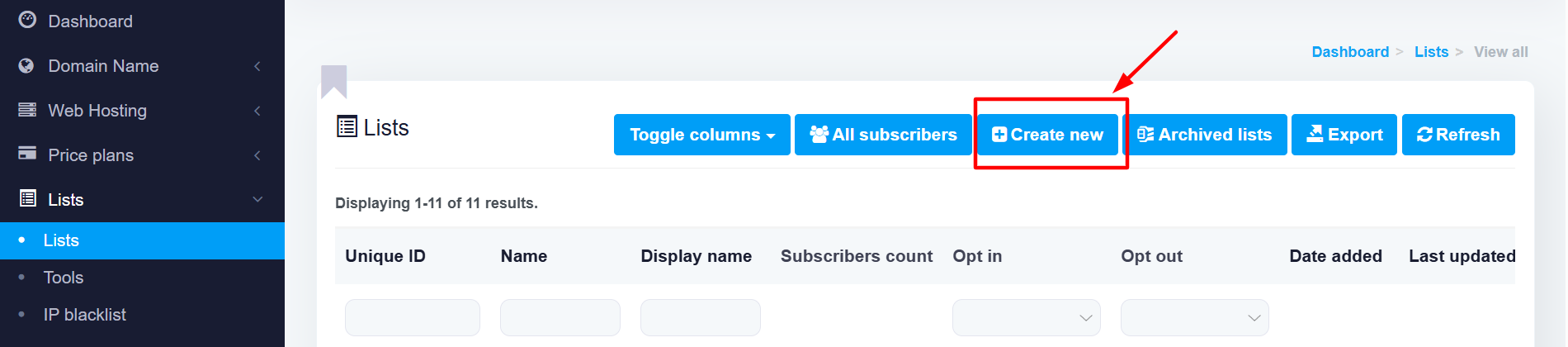
Click CREATE NEW to create a New List
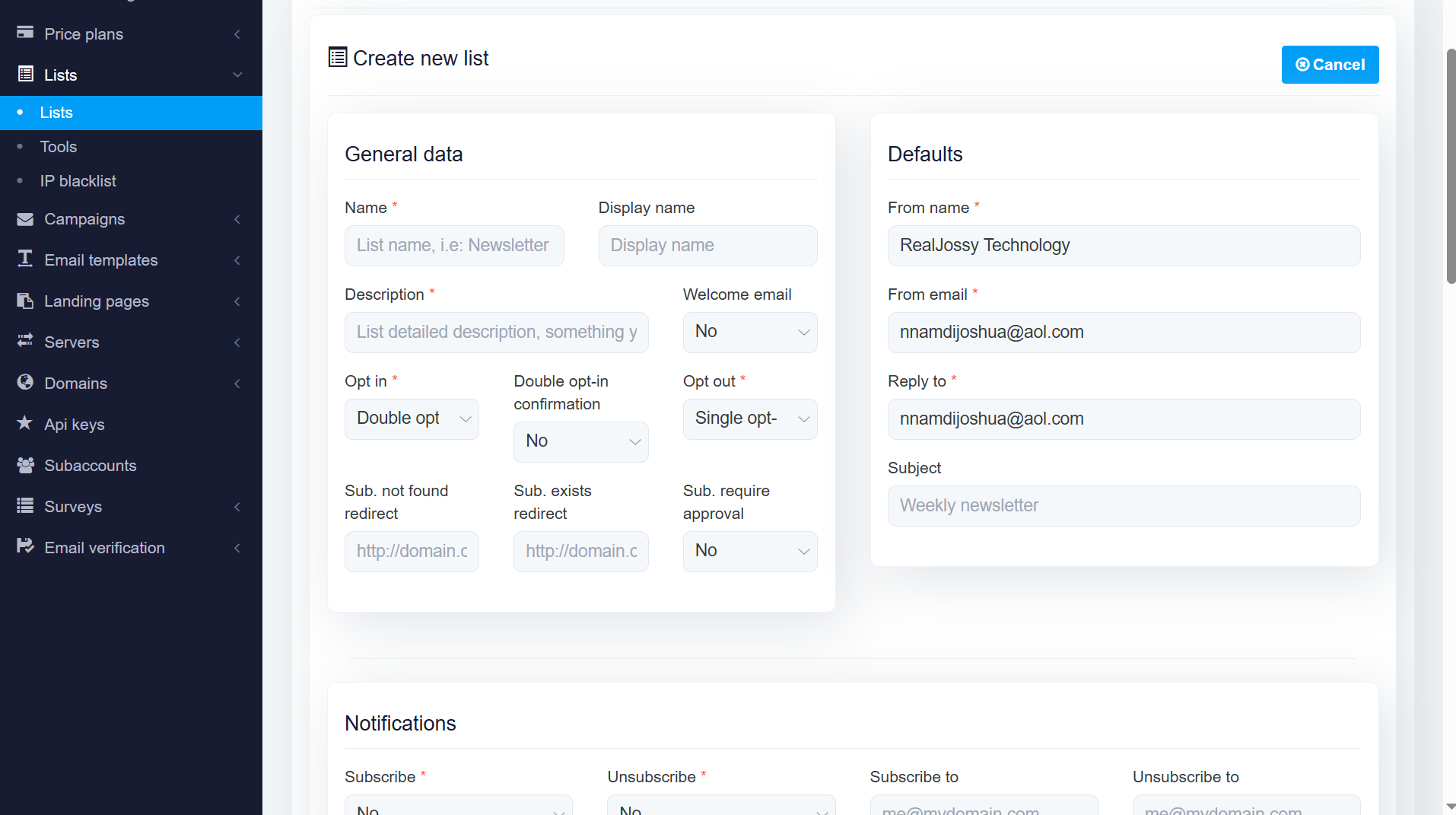
On the next page, fill in the required fields.
Scroll down and SAVE CHANGES and BACK TO LISTS
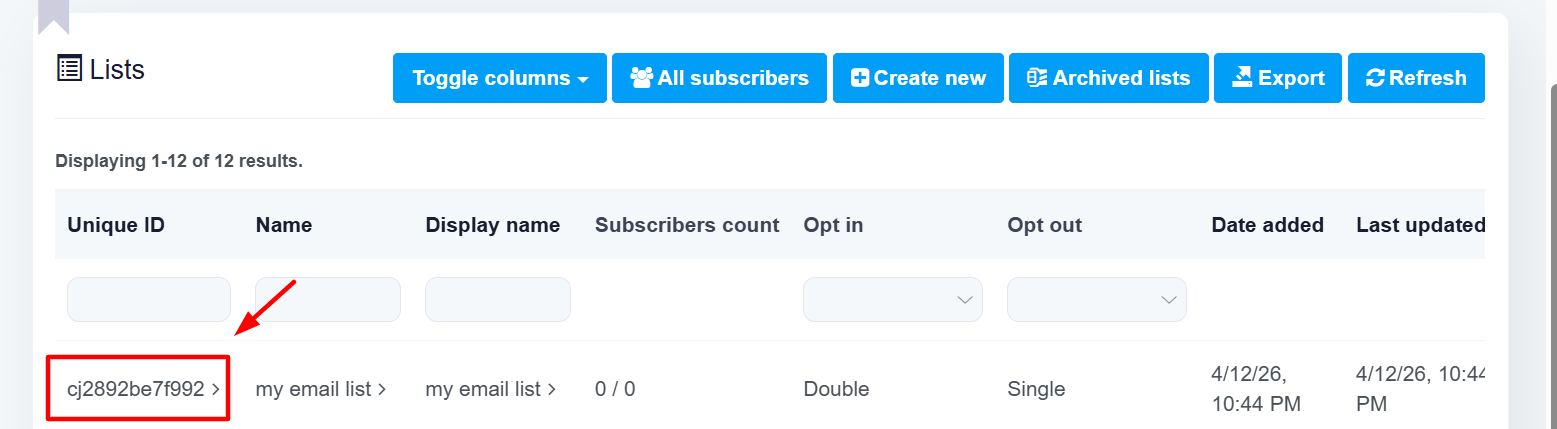
Open the LIST to add emails
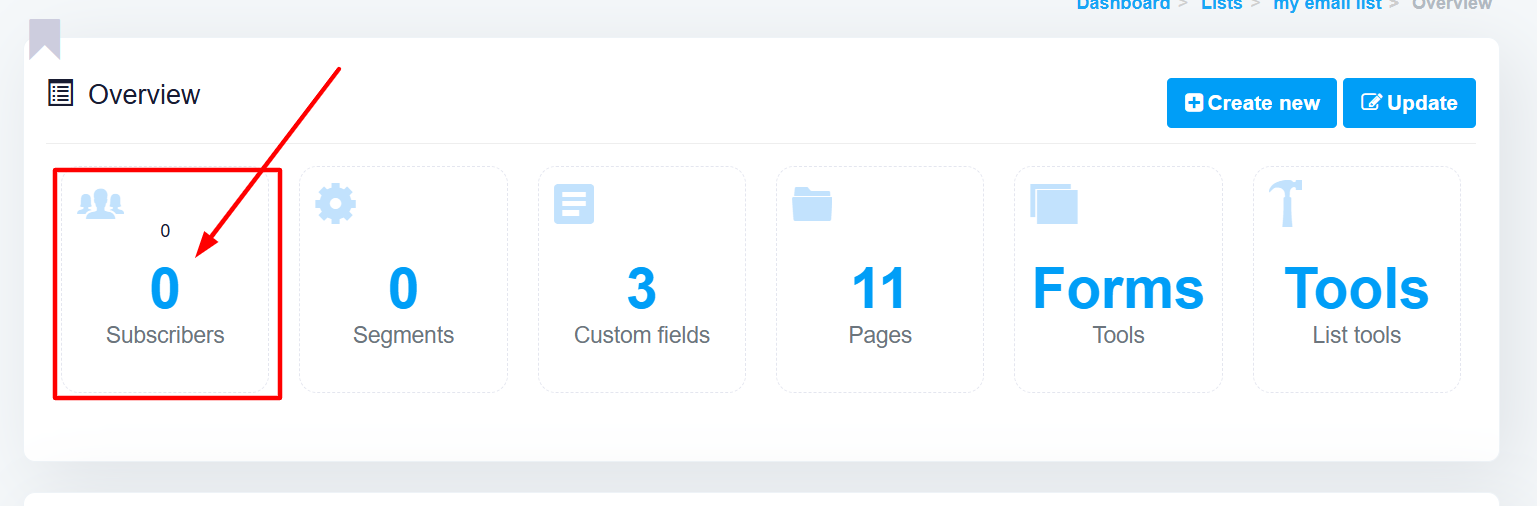
Click on SUBSCRIBERS
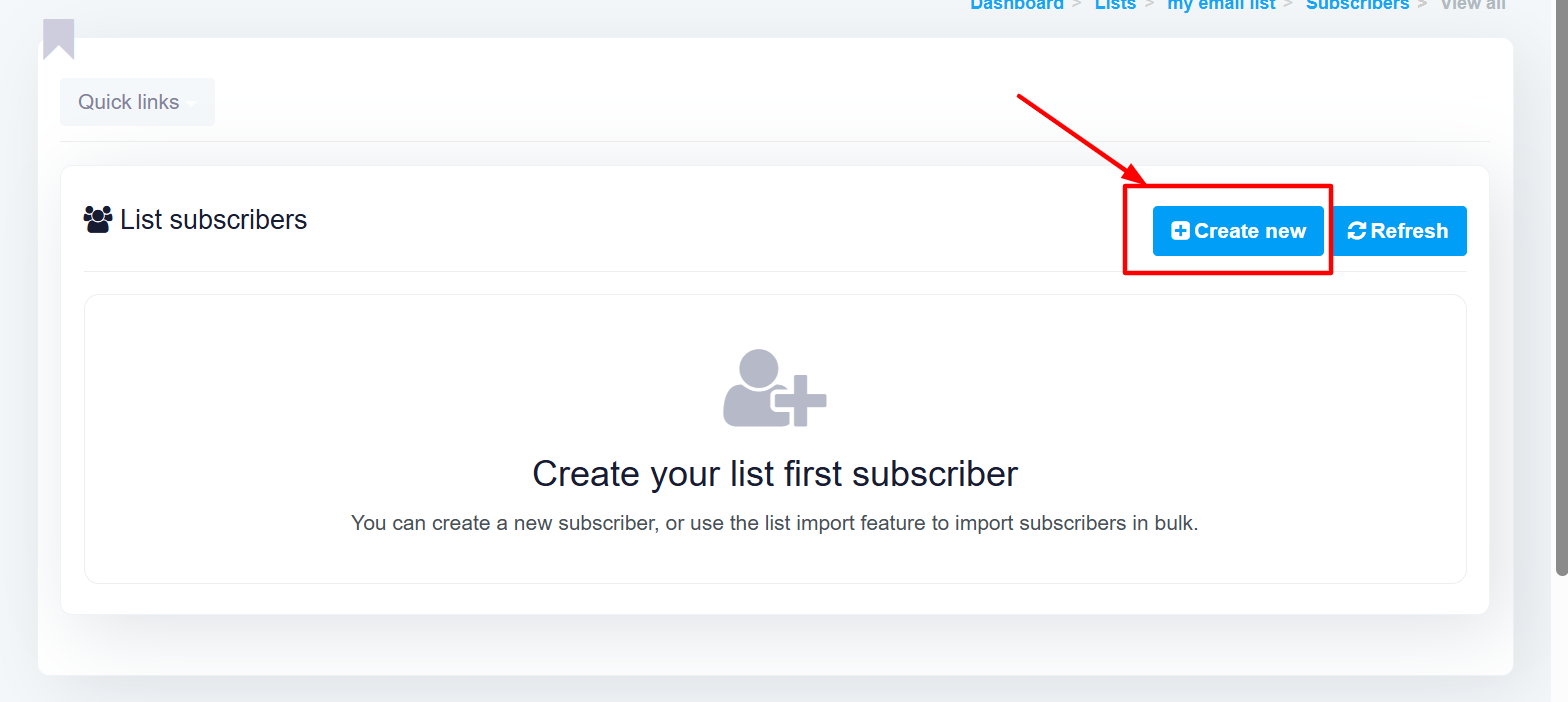
Click on CREATE NEW
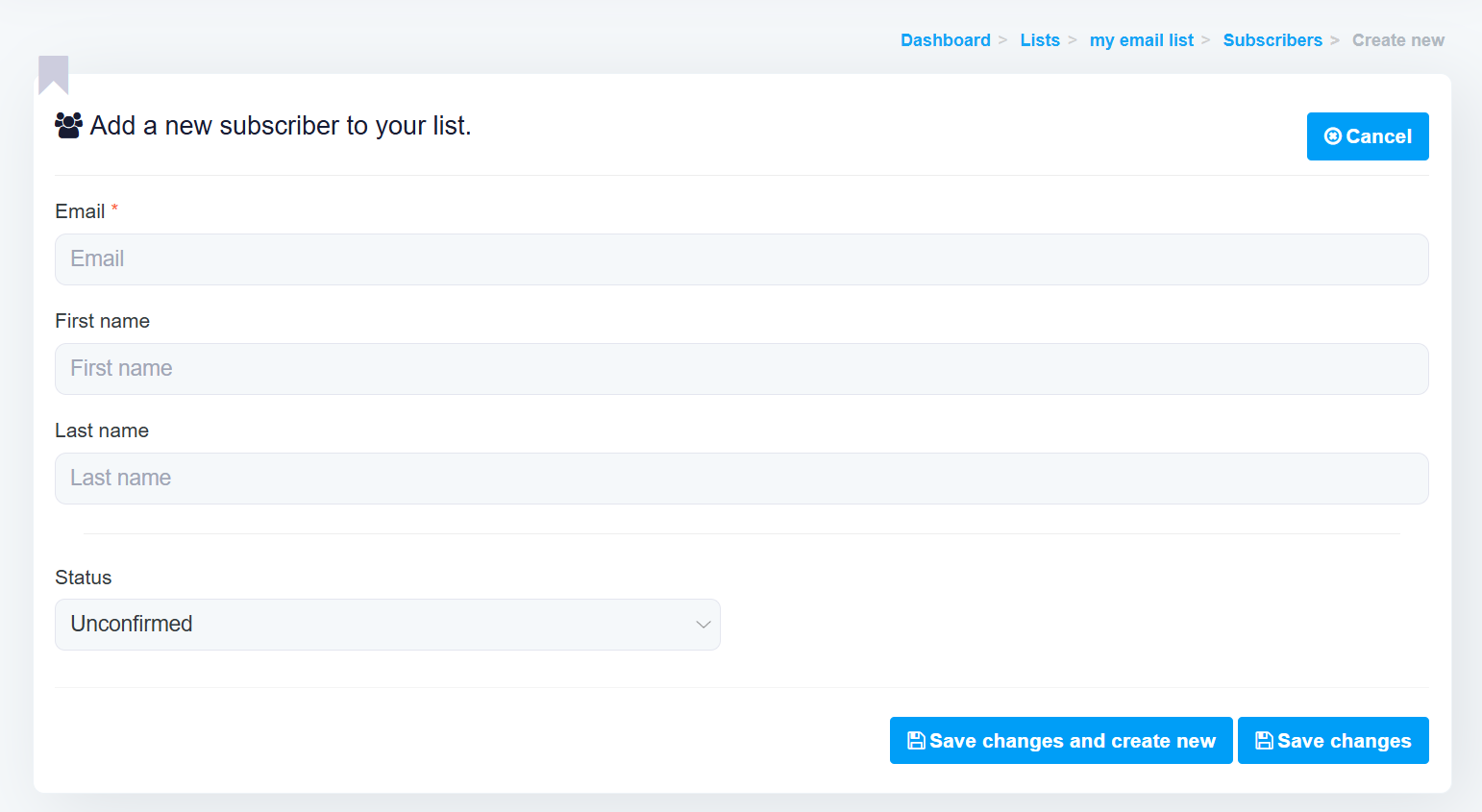
Add your Email here, NAME (optional), and change STATUS to CONFIRMED.
Click SAVE CHANGES to save the email to the list
** The time is base on America/New_York timezone